Posts

Tips using HMC for VMWare Users

Image
 Creating a Virtual Machine is a necessary step of most of software development process. The reason is that we want to optimalise our hardware use, to isolate one application instance from another application  instance running in the same hardware. For that purpose I recently tried to create a VM instance in an IBM machine, a PowerVM. Creating such VM is quite different than creating such VM in VMWare, and this post will show some tips when facing challenges creating a PowerVM. HMC Console First, we need to access HMC (Hardware Management Console), which is the interface from where we configure our hardware and logical partitions. One HMC could manage more than one system (which stands for a single box of server hardware).  Choose Resource >> All Systems to get an overview of which systems are available to manage. From the HMC we could create a new Logical Partition. The menu path is : Resource >> All Systems >> [ choose system ], then by clicking on Cre...

Displaying running PHP 7.4 stack trace on Red Hat UBI Container

Image
 When running a PHP application in container, sometimes we need to find out what bottleneck is impacting the app's response time. This post documents the approach to do so, but still requiring access to root user in the container. The platform where I was running the PHP app is Red Hat Openshift Community (OKD) version 3.6, which is still using docker to run containers instead of Red Hat's podman. Preparation - Locating the pod and the worker node Open openshift's console home Select your Project (namespace) containing the pod Select Application => Pods Choose your pod from the list. Note the worker node hosting the pod. Install php debug-info Normally, the openshift platform doesn't allow containers running as root. So are in this case, the container will be running as normal random-uid-user. But we need to install php debuginfo packages, thus we need to run as root. The trick is to access the node running the application's pods, so we need admin access on the w...

How to Diagnose A Slow or Freezing Web Application

Image
The freezing app problem When dealing with a freezing application, most management (or even management with IT background) will say it is related to capacity problem. Usually the capacity are correlated to how many processor core, how many gigabytes memory available to the system, and how much bandwidth are available. The reality is not that simple.  When an application freeze or slows down, it is to the best interest of the application team, whether operational, development, devops team, or service team (as it is said in the ITIL), to find out how to make it accessible again, and in management terms, increase the system's capacity. The first step to do that, is to actually determine the bottleneck, which traditionally is done by checking memory usage, CPU usage, and network link usage. But I am not thinking to make this a traditional post, so in this post I will try to describe other stuffs that could cause slowdown or freezing app problem. The APM way of things Today we have APM ...

Mounting Single File From Configuration Map In Kubernetes/Openshift Pod

Image
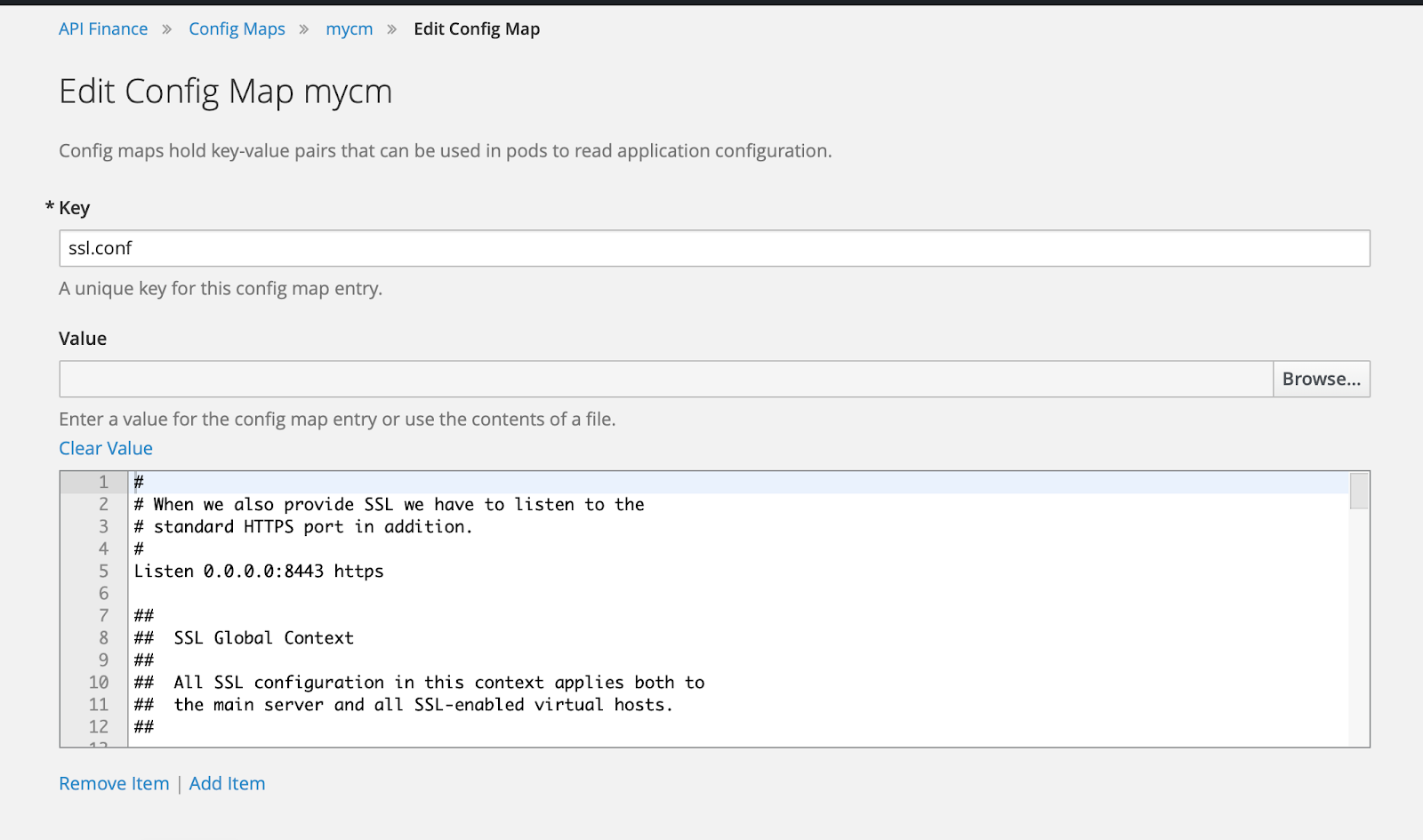
 Background Sometimes, we need to override a single file in a pod without having to build a new image. There is a technique to do this, so this blog would serve to remind me of the steps involved doing just that. 1. Create A Configuration Map First we need to copy the original file to the notepad. The steps are : yudhi@Yudhis-MacBook-Pro ~ % oc project apifinance Now using project "apifinance" on server "https://lb.osh.telkom.co.id:8443". yudhi@Yudhis-MacBook-Pro ~ % oc get po NAME                     READY     STATUS       RESTARTS   AGE finance-2-chm5g         1/1       Running     0           211d finance-3-build         0/1       Completed   0           248d financeapi-46-8wmfh     1/1       Running     0        ...

Using Visual Studio Code to Edit Files in Openshift Pods

Image
Tracing PHP applications are typically done by putting echo statements in code path in a debug session. When PHP applications are deployed into openshift environment, the developer could edit the source code in development app (not production) to add echo statements. Typically this is done using the terminal. However the development experience is not very good. Background When debugging or tracing, we developers sometimes need to check multiple files at once, and sometimes need to do a project-wide search to find the source file containing one class or method. Most developers find this is not easy to do  in the terminal interface. They normally use editors such as Visual Studio Code to be able to search quickly and jump between source code files, and using vi in the terminal is somewhat off-putting. A better solution is to run Visual Studio Code remotely in the pod's container. How to Launch Visual Studio Code in Pods There are a few prerequisite needed to be able to launch vi...

Debugging Openshift Docker Registry using Visual Studio Code

Image
Overview Red Hat  has augmented docker's registry with some enhancement before deploying it in Openshift cluster. In some cases we might want to debug it, to find out reasons why some stuff doesn't work or for educational purposes. In this post we will describe steps required to do debugging for the docker registry (a.k.a docker distribution) from Visual Studio Code. We are going to run the openshift docker registry in a separate deployment config. Repository identification First, docker registry is created using Go Language; and in this case, the source code for the enhanced docker registry lives in github repository  https://github.com/openshift/origin for some versions and in  https://github.com/openshift/docker-distribution for later versions. In this post I will use the version in openshift 3.6 ( https://github.com/openshift/origin/tree/v3.6.1 ) because of selfish reasons our sandbox/development openshift cluster uses this version. The main source code file lives...