Posts

Showing posts with the label docker

Debugging Openshift Docker Registry using Visual Studio Code

Image
Overview Red Hat  has augmented docker's registry with some enhancement before deploying it in Openshift cluster. In some cases we might want to debug it, to find out reasons why some stuff doesn't work or for educational purposes. In this post we will describe steps required to do debugging for the docker registry (a.k.a docker distribution) from Visual Studio Code. We are going to run the openshift docker registry in a separate deployment config. Repository identification First, docker registry is created using Go Language; and in this case, the source code for the enhanced docker registry lives in github repository  https://github.com/openshift/origin for some versions and in  https://github.com/openshift/docker-distribution for later versions. In this post I will use the version in openshift 3.6 ( https://github.com/openshift/origin/tree/v3.6.1 ) because of selfish reasons our sandbox/development openshift cluster uses this version. The main source code file lives...

Notes on Learning Open VSwitch in Openshift OKD

Background Open VSwitch or ovs is the software that openshift used to ensure pods in the openshift cluster could talk to each other using cluster-internal IP addresses. In default settings, hosts outside the cluster are not be able to connect directly to pods; and haproxy (running in  'openshift router' pods) sofware listening on host port is doing the work of distributing http request into each and every application's pods.  In order to follow this blog post you will need root-level OS access on the hosts / openshift nodes, so it is geared towards system administrator of the openshift platform, not the casual application developer. Examining OVS bridge [root@node3 ~]# ovs-vsctl list-br br0 So we know the OVS bridge is named br0. [root@node1 ~]# ovs-ofctl -O OpenFlow13 dump-ports-desc br0 OFPST_PORT_DESC reply (OF1.3) (xid=0x2):  1(vxlan0): addr:62:b2:af:23:90:ea      config:     0      state:      0   ...

How To Build your Own Openshift Builder Images (saprfc extension for PHP 5.6)

Image
This post shows the steps required to build your own Openshift Builder images. This might be needed when you need to connect to Oracle database using PDO extension, or there is additional command you want to be available in your application pods. If you simply need additional extension that are readily available, there is an alternative simpler step involving the use of S2I assemble script (see  http://inventorsparadox.blogspot.com/2018/04/installing-apcu-extension-in-openshift.html ). But if the extension need nontrivial dependencies, please read the remaining of this blog post. Tools of the trade We are going to need Docker toolset available. For Mac users, you could use  Docker for Mac . For Windows users, there is Docker for Windows . I will show the screenshot from Docker running on CentOS Linux. You also going to need git (https://git-scm.com/download/win or  https://git-scm.com/download/mac).  Clone the source repository First clone the sour...

How to Run X Windows Server inside Docker Container

Image
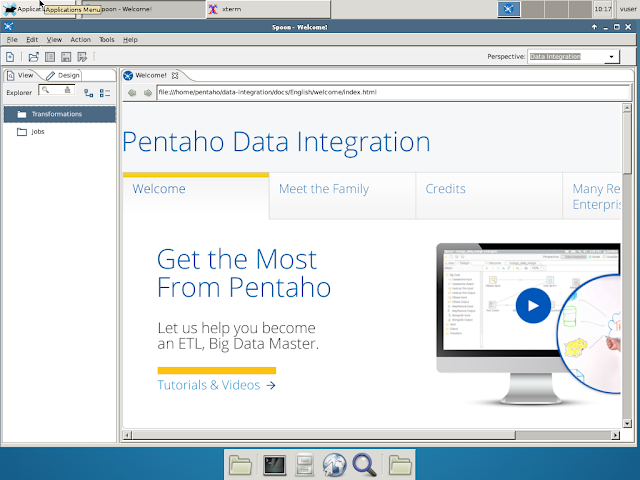
Background Sometimes I need to run X Windows-based applications inside Docker containers, and running the server locally is too unpractical because of latency reasons or the working laptop has no X Windows Server. First I tried to create a VirtualBox-based Vnc Server, and it worked fine albeit a little slow, but Docker containers seem to have better memory and disk footprint. So I tried to create Vnc Server running X Windows inside a Docker container. I already tried suchja/x11server ( ref ) but it has strange problems ignoring cursor keys of my MacBook on webkit page (such as Pentaho Data Integration's Formula page). Starting point Many of my Docker images are based on Debian Jessie. So I start from the instructions from this DigitalOcean article :  https://www.digitalocean.com/community/tutorials/how-to-set-up-vnc-server-on-debian-8 .  This vnc server is based on XFCE Desktop Environment. The steps are basically is to install : xfce4  xfce4-goodies...

Docker Basic 101

Image
Background This post would describe notes that results from my initial exploration using docker. Docker could be described as a thin VM. Essentially docker runs processes in a linux host in a semi-isolated environment. It was a brilliant technical accomplishment that exploits several characteristic of running applications in a linux-based OS. First, that the result of package installation is the distribution of package files in certain directories, and changes to certain files. Second, that executable file from one Linux distribution could be run in another Linux distribution provided that all the required shared library and configuration files are in their places. Basic characteristic of Docker images Docker images are essentially similar to zip archives, organized as layer over layers. Each additional layer provide new file or changed files.  Docker image should be portable, means it could be used in different instances of application in different hosts. Docker images...

Running X11 Apps inside Docker on Remote Server

Image
Background Docker is fast-growing trend that I could no longer ignore, so I tried Docker running in a Linux server machine. Running server app is a breeze inside docker, but I need to run Pentaho Data Integration in the server, which uses X11 display. There is several references about forwarding X11 connection to a Docker container but none works for my setup, which has Quartz XServer running in  Mac OS X laptop and Docker service running in a remote Linux Server. The usual way The steps to run X Windowed Applications in Docker containers can be read from  Running GUI Apps with Docker  and  Alternatives to SSH X11 Forwarding for Docker Containers , which essentially is as follows : Forwarding DISPLAY environment variable to the container Forwarding directory /tmp/.X11-unix to the container I already tried such steps with no results, because I need to add another step before these two, that is forwarding X11 connection thru ssh connection to the serve...