Posts

Showing posts with the label openshift

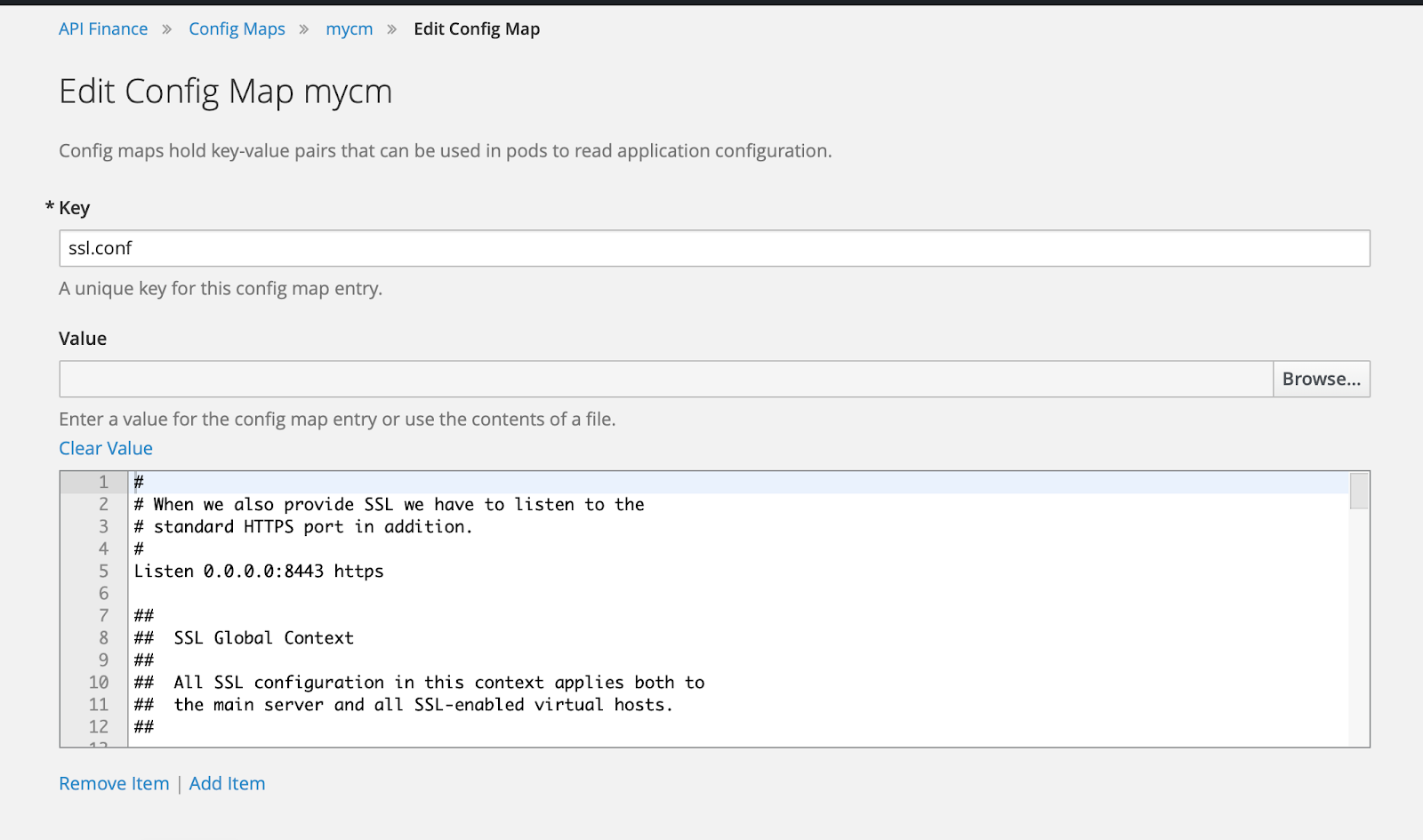
Mounting Single File From Configuration Map In Kubernetes/Openshift Pod
Image
 Background Sometimes, we need to override a single file in a pod without having to build a new image. There is a technique to do this, so this blog would serve to remind me of the steps involved doing just that. 1. Create A Configuration Map First we need to copy the original file to the notepad. The steps are : yudhi@Yudhis-MacBook-Pro ~ % oc project apifinance Now using project "apifinance" on server "https://lb.osh.telkom.co.id:8443". yudhi@Yudhis-MacBook-Pro ~ % oc get po NAME                     READY     STATUS       RESTARTS   AGE finance-2-chm5g         1/1       Running     0           211d finance-3-build         0/1       Completed   0           248d financeapi-46-8wmfh     1/1       Running     0        ...

Using Visual Studio Code to Edit Files in Openshift Pods

Image
Tracing PHP applications are typically done by putting echo statements in code path in a debug session. When PHP applications are deployed into openshift environment, the developer could edit the source code in development app (not production) to add echo statements. Typically this is done using the terminal. However the development experience is not very good. Background When debugging or tracing, we developers sometimes need to check multiple files at once, and sometimes need to do a project-wide search to find the source file containing one class or method. Most developers find this is not easy to do  in the terminal interface. They normally use editors such as Visual Studio Code to be able to search quickly and jump between source code files, and using vi in the terminal is somewhat off-putting. A better solution is to run Visual Studio Code remotely in the pod's container. How to Launch Visual Studio Code in Pods There are a few prerequisite needed to be able to launch vi...

Debugging Openshift Docker Registry using Visual Studio Code

Image
Overview Red Hat  has augmented docker's registry with some enhancement before deploying it in Openshift cluster. In some cases we might want to debug it, to find out reasons why some stuff doesn't work or for educational purposes. In this post we will describe steps required to do debugging for the docker registry (a.k.a docker distribution) from Visual Studio Code. We are going to run the openshift docker registry in a separate deployment config. Repository identification First, docker registry is created using Go Language; and in this case, the source code for the enhanced docker registry lives in github repository  https://github.com/openshift/origin for some versions and in  https://github.com/openshift/docker-distribution for later versions. In this post I will use the version in openshift 3.6 ( https://github.com/openshift/origin/tree/v3.6.1 ) because of selfish reasons our sandbox/development openshift cluster uses this version. The main source code file lives...

Demistifying Certificate Generation using Ansible in Openshift

Image
Background Ansible is the only available tools to manage deployment Openshift Origin Clusters, now known OKD. Some pitfalls were identified when the author tried to redeploy certificate in an Origin 3.6 cluster. Logging Issues We were trying to do some troubleshooting using the kibana-ops logging console, and were surprised to find it not working. Quick check on the logging project shows that many of the pods have warning status. Checking these pods (mostly elasticsearch instances) we found that the the health check script results in 'Elasticsearch node is not ready to accept HTTP requests yet' with http response code 000. The pods were at 90% storage, which I think caused by the curator unable to connect to the elastic instances (The curator is supposed to clean old index data files so the disk won't fill up).  Further investigation results the curl command (adapted from this syntax from the chapter Aggregating Container Logs - Performing Administrative Elasticsearch Oper...

Notes on Learning Open VSwitch in Openshift OKD

Background Open VSwitch or ovs is the software that openshift used to ensure pods in the openshift cluster could talk to each other using cluster-internal IP addresses. In default settings, hosts outside the cluster are not be able to connect directly to pods; and haproxy (running in  'openshift router' pods) sofware listening on host port is doing the work of distributing http request into each and every application's pods.  In order to follow this blog post you will need root-level OS access on the hosts / openshift nodes, so it is geared towards system administrator of the openshift platform, not the casual application developer. Examining OVS bridge [root@node3 ~]# ovs-vsctl list-br br0 So we know the OVS bridge is named br0. [root@node1 ~]# ovs-ofctl -O OpenFlow13 dump-ports-desc br0 OFPST_PORT_DESC reply (OF1.3) (xid=0x2):  1(vxlan0): addr:62:b2:af:23:90:ea      config:     0      state:      0   ...